Auditor Request a demo
Site Capture: now on Android and iPhone

Redefining Building Assessments.

Auditor standardizes, automates and integrates document generation, so your team can focus on the assessment, not the formatting.

Building Condition AssessmentHome Inspection AccessibilityConstruction Inspection

Standardize · Automate · Integrate

Efficiency isn't just working faster. It's working smarter.

Unified team standards

Every assessor produces the same high-quality output. Standardize assessments across your entire firm and remove the inconsistencies.

Automated text generation

Say goodbye to repetitive typing. Consistent, error-free text that follows your assessment parameters, enhanced by built-in AI.

End-to-end report integration

Executive summaries, condition narratives, inventory tables, charts and a photo gallery with renamed files, generated in one step.

Ready to cut your reporting time in half?

Equip your team with the tools to produce faster, standardized and error-free building assessments today.

Request a demo

The finished report

The report, written for you.

Record each item once: condition, defects, measurements and photos. Auditor writes the report in your own Word layout, and in Excel.

  • Executive summary and condition narratives in full sentences
  • Priority tables, inventories and cost roll-ups with totals
  • Charts in Word and Excel
  • A photo gallery with every file renamed
See a sample report in a demo
Sample report page: priority repairs table Sample report page: summary of findings with a gauge chart Sample report page: defect severity and cost charts by area

How it works

From the site visit to a report you can sign.

.01

Standardize assessments

Run audits from dynamic templates that keep your data consistent. Photo evidence, databases, project information and field data are connected as parameters across the whole assessment.

.02

Automate reporting

Turn raw field data into actionable metrics. Math roll-ups and conditional logic calculate variables, multiline text, summaries and tables instantly, while AI enhances your narrative text.

.03

Deliver results

Map your data into bespoke Word and Excel templates and produce highly formatted reports at the click of a button.

Why Auditor

Built around what makes building assessments reliable.

Clear structure, standardized workflows and intelligent automation, so your team assesses with confidence and spends far less time on reports.

Standardized quality

Consistent, error-free reports every time. Guided workflows and generated text help every assessor meet your firm's standard.

Seamless workflow

No more scattered windows. A half-screen friendly interface puts photo selection and data entry side by side.

Intelligent automation

Executive summaries, photo galleries with renamed files and full inventories go straight into Word and Excel.

Tailored to your firm

Built to work with your internal databases. Auditor adapts to your writing style and processes instead of generic content.

Site Capture

One building. One walk. One report.

Start from a template, walk the building as a checklist, shoot against each asset, add the data on the spot, and build the report before you leave.

4inspection templates included
837ready-made checklist items
0accounts or sign-ins

Free to download, with unlimited projects and photos and full export. On iPhone and iPad, open it in Safari and add it to your Home Screen.
Site Capture in a minute
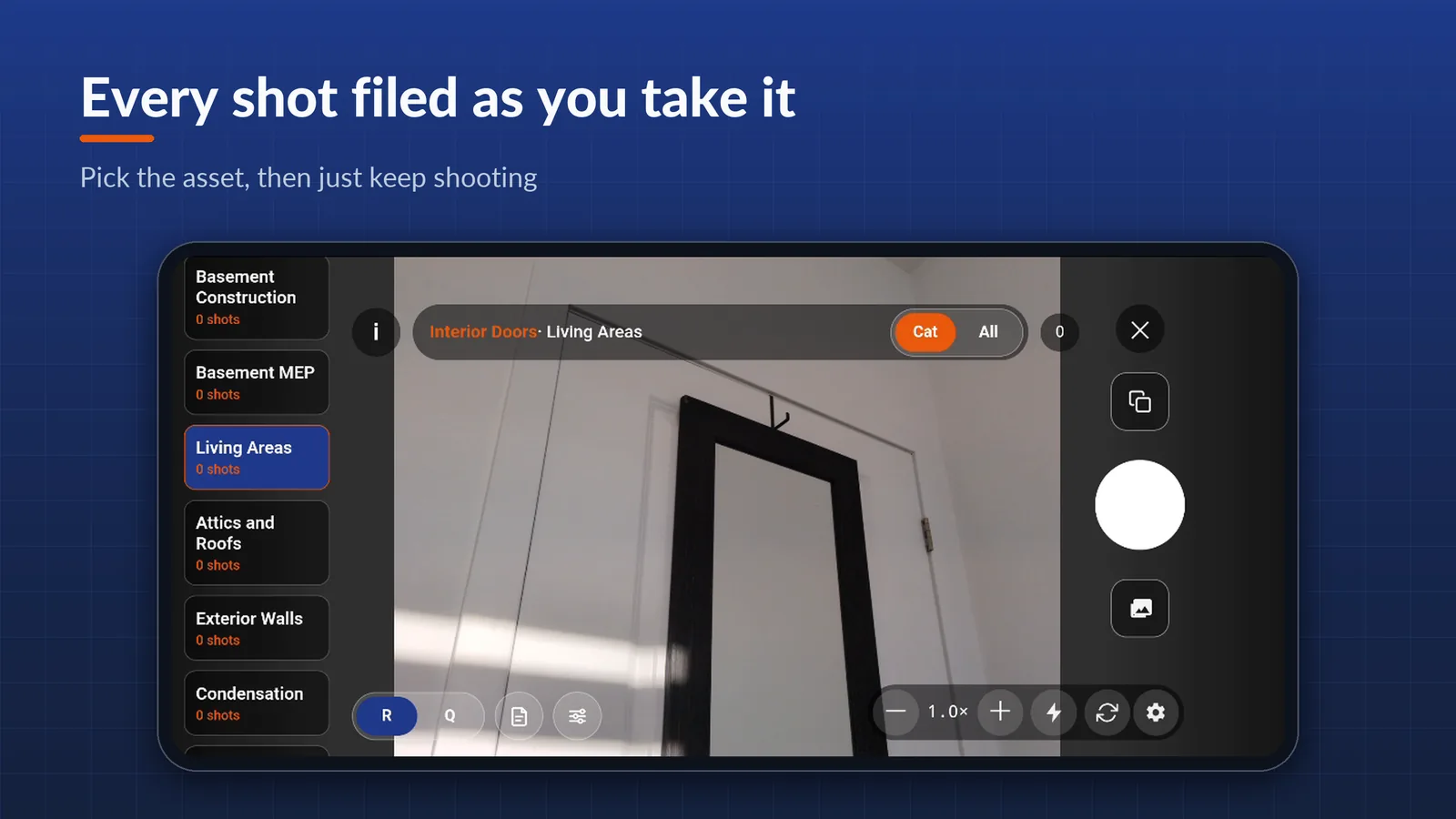
Every shot filed as you take it: pick the asset, then just keep shooting
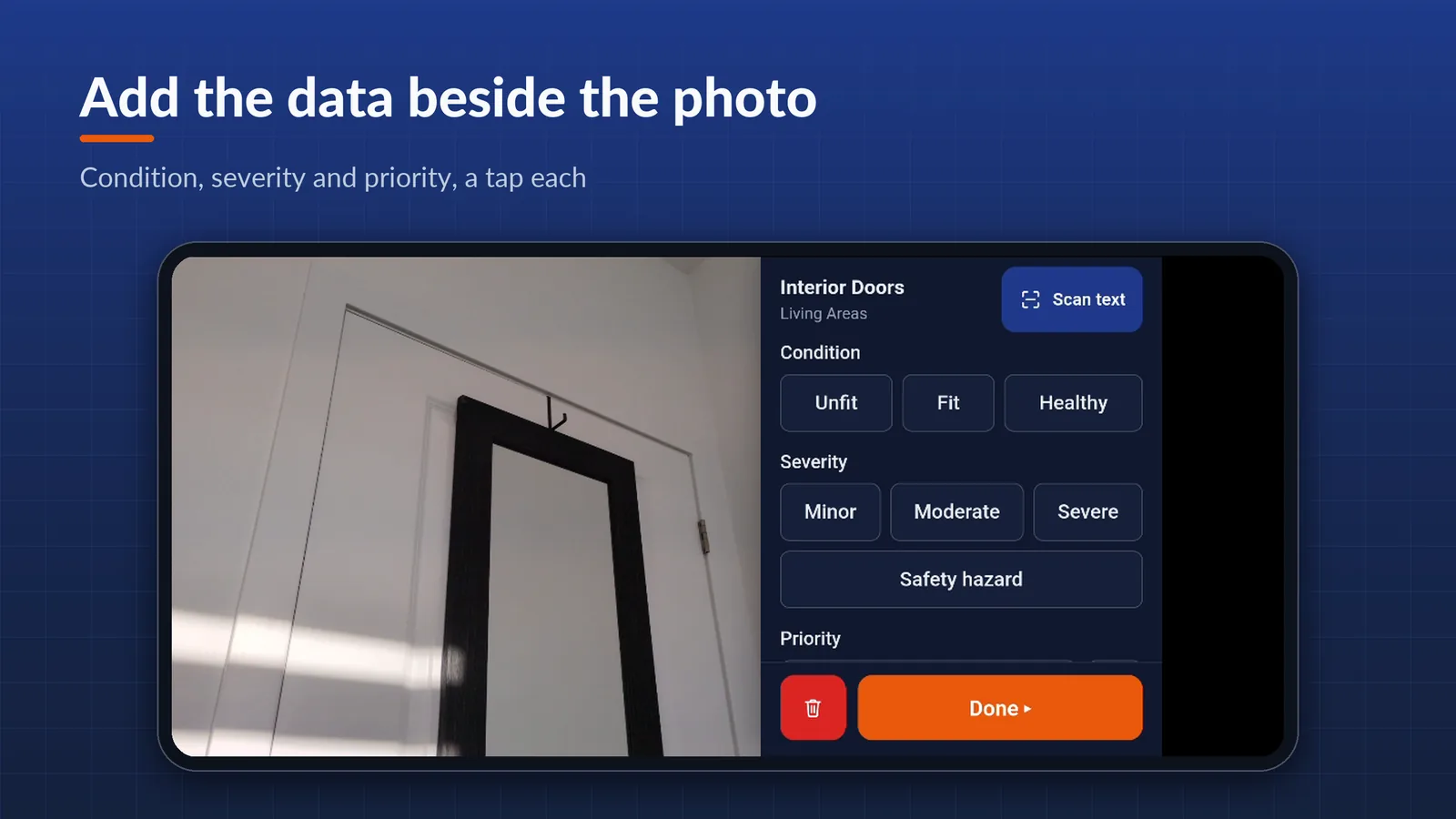
Add the data beside the photo: condition, severity and priority, a tap each
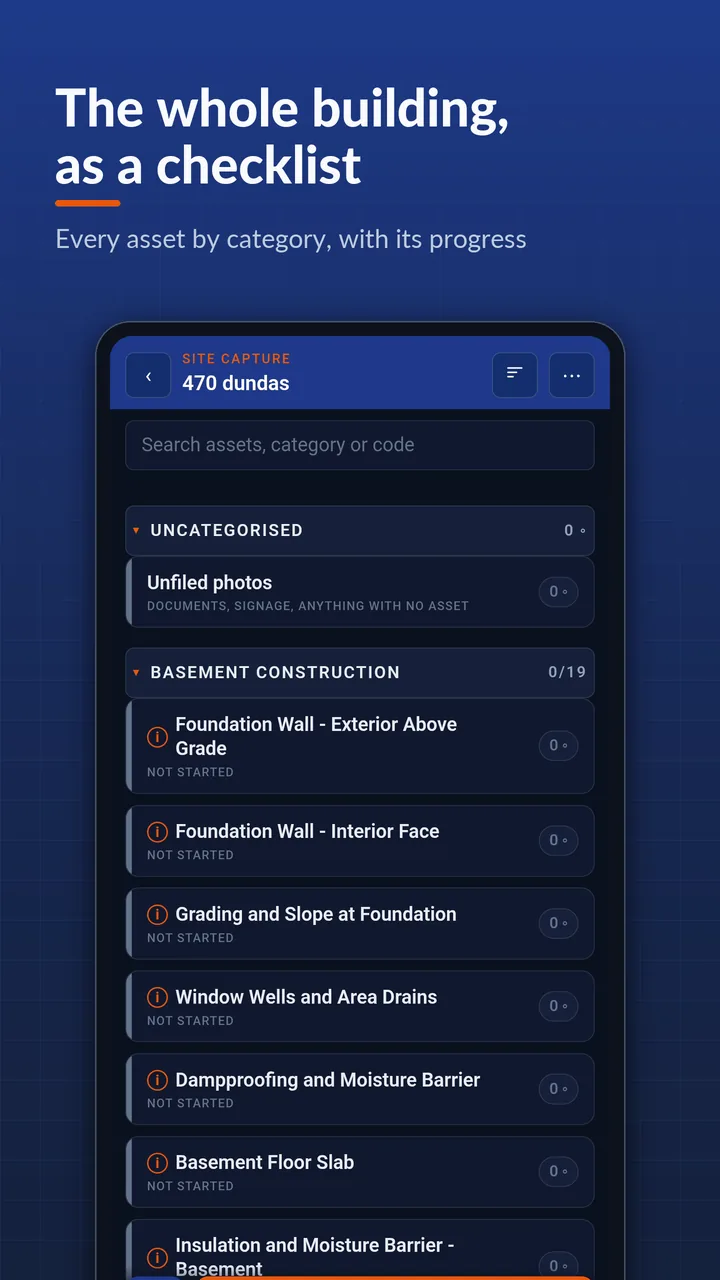
The whole building as a checklist: every asset by category, with its progress
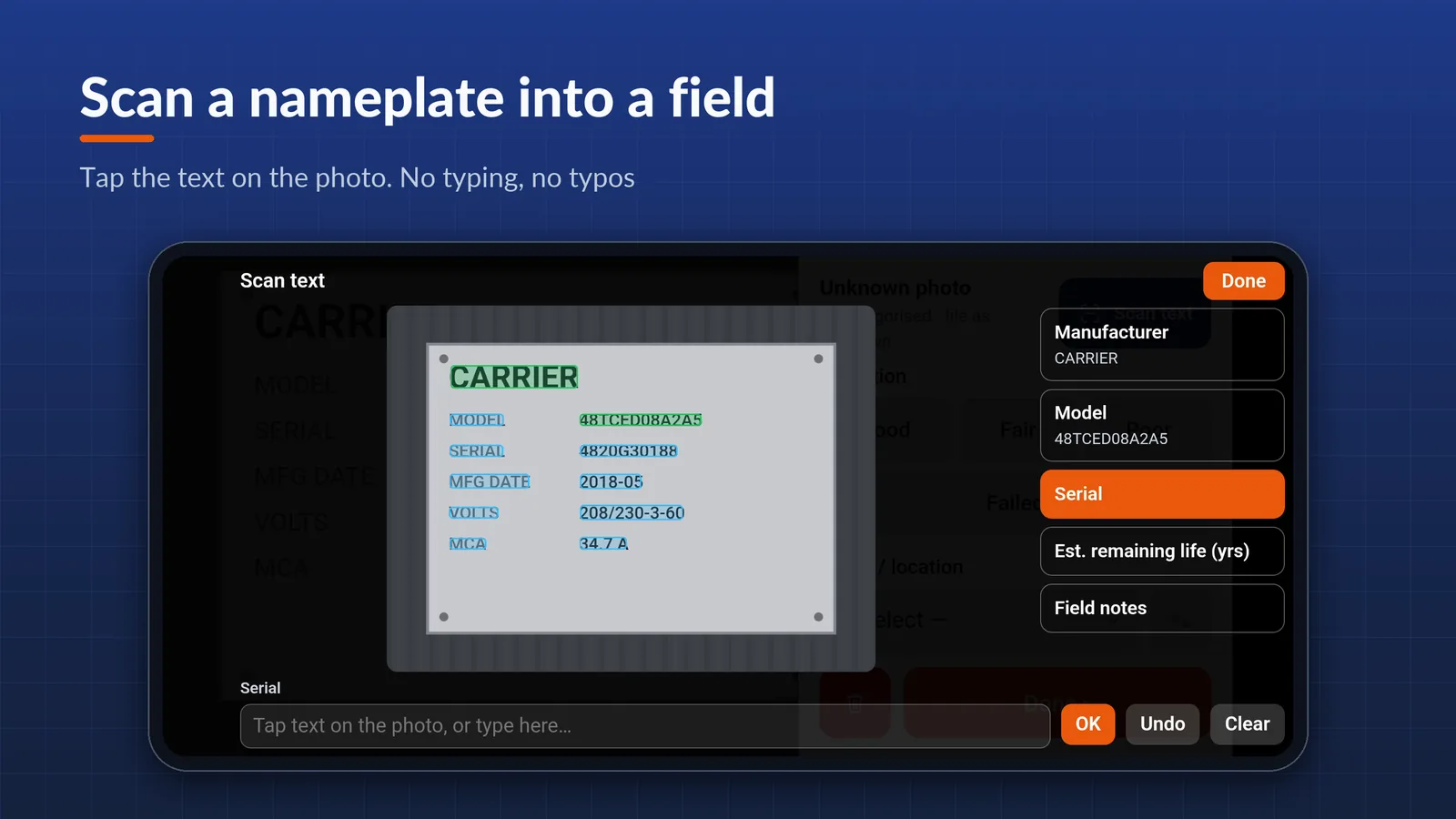
Scan a nameplate into a field: tap the text on the photo, no typing
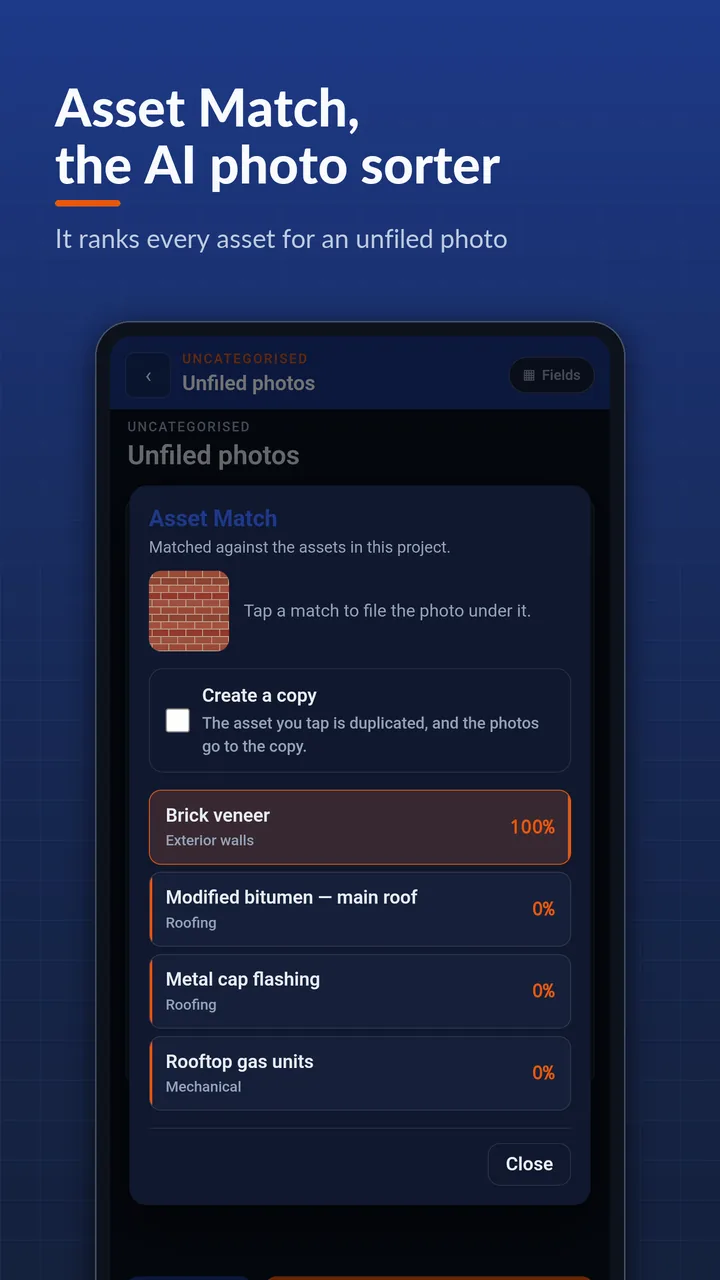
Asset Match, the AI photo sorter: it ranks every asset for an unfiled photo
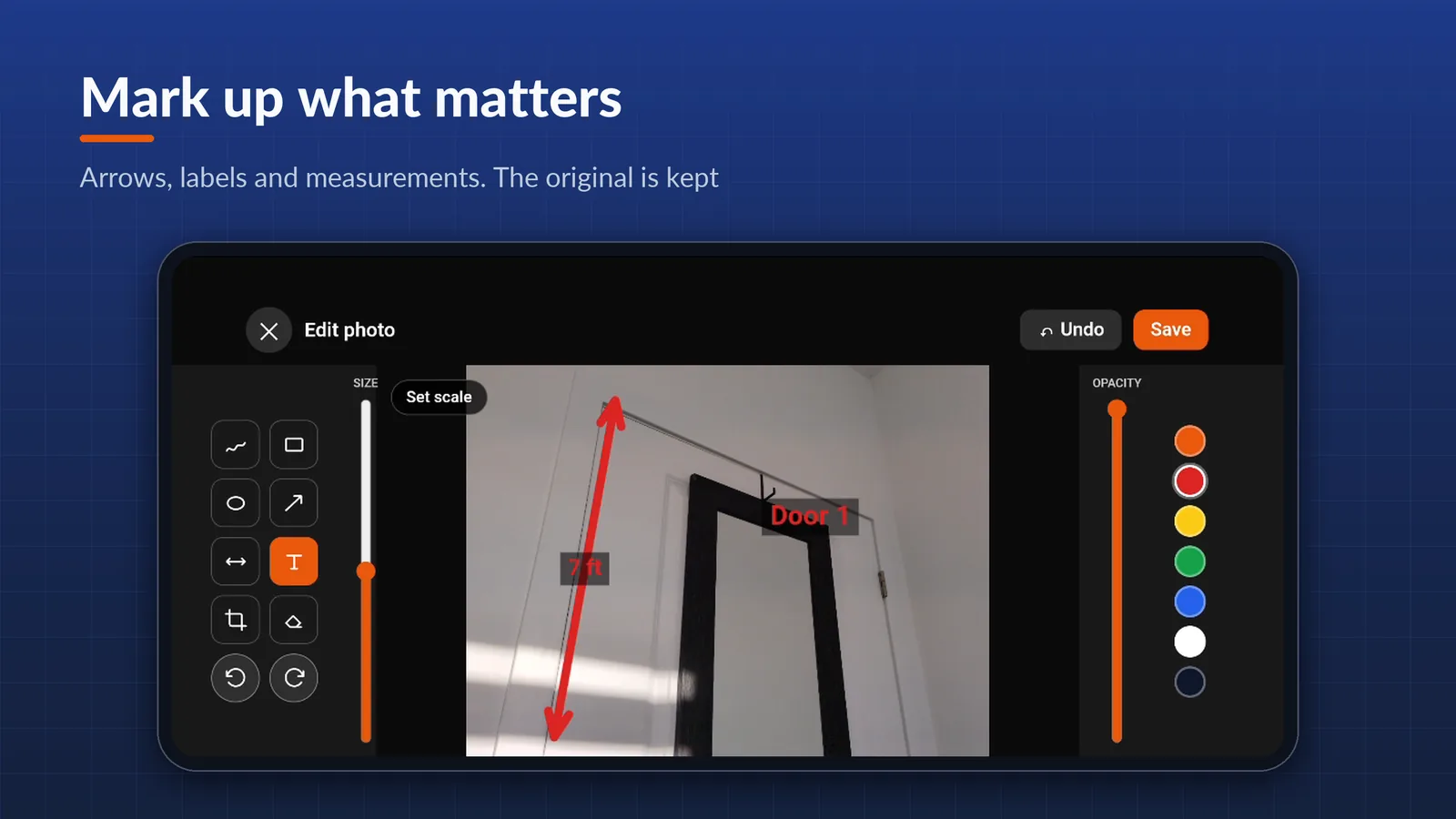
Mark up what matters: arrows, labels and measurements, the original is kept
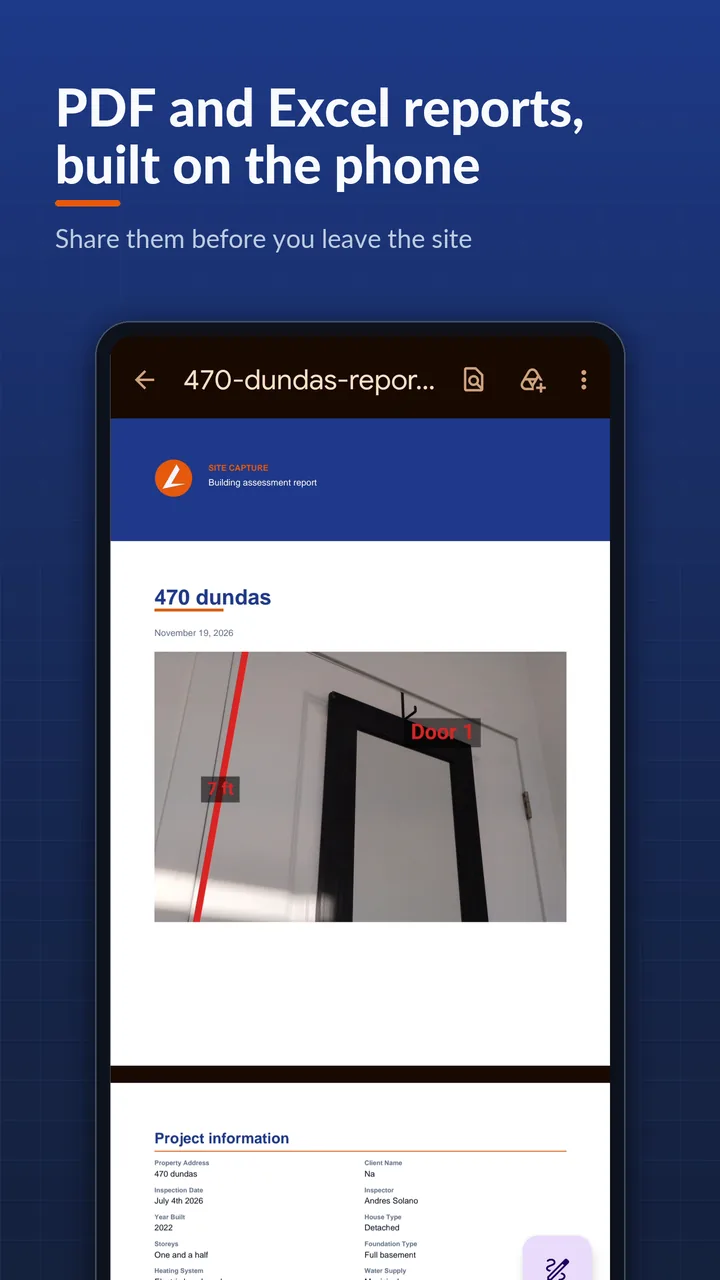
PDF and Excel reports, built on the phone and shared before you leave the site
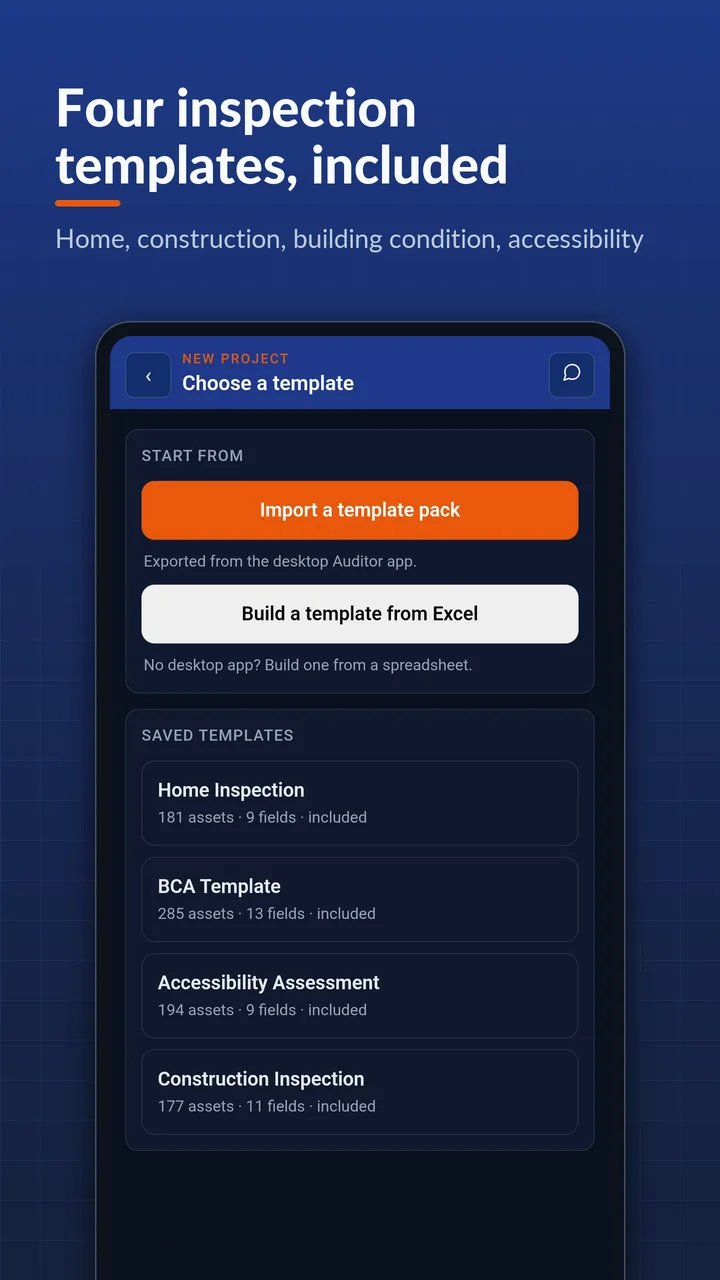
Four inspection templates included: home, construction, building condition and accessibility
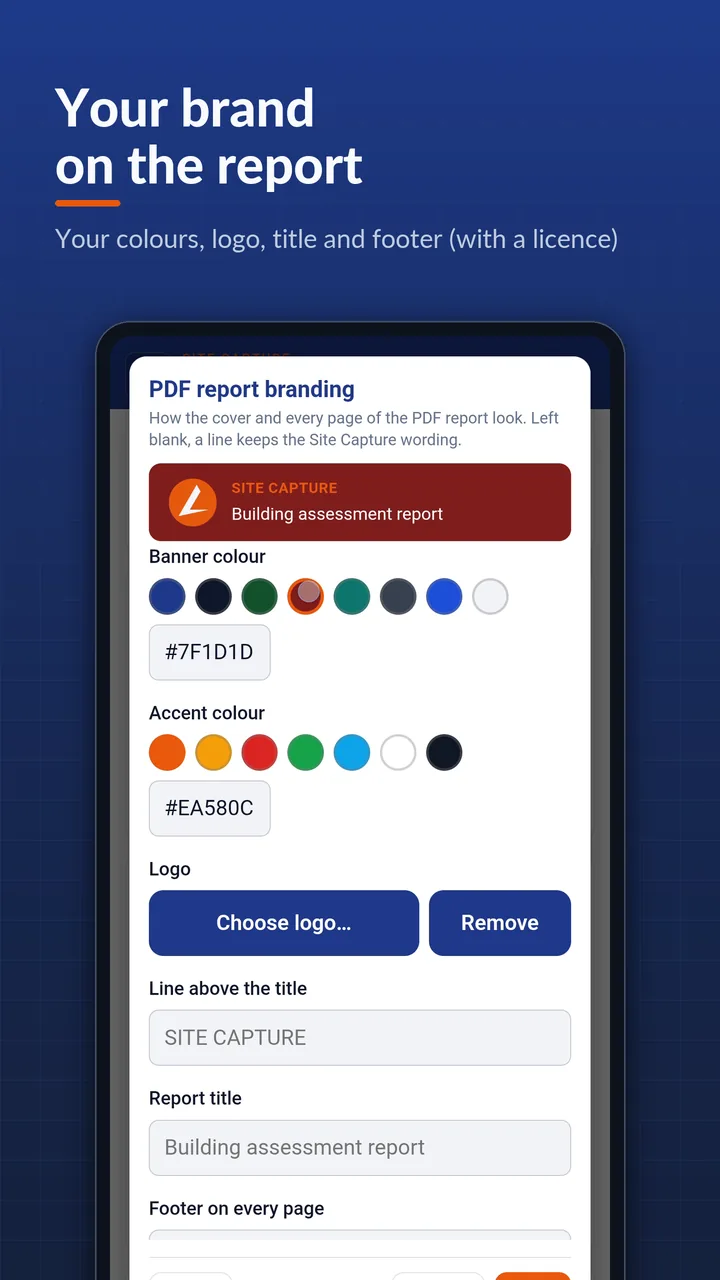
Your brand on the report: your colours, logo, title and footer, with a licence

Four templates, included

  • Construction Inspection: 177 checks across 19 phases in build order, 87 flagged as hold points
  • Home Inspection: 181 items across 9 areas, from foundations to attics
  • Building Condition Assessment: 285 assets by UNIFORMAT system, with useful life and unit price
  • Accessibility Assessment: 194 items across 15 areas, with what to measure

Capture on site

  • A camera built for inspections: switch categories from a side rail and keep shooting
  • Quick shot mode, with no review between photos
  • File each photo as you take it, or sort it later
  • Fields that calculate as you type, like a cost from quantity and unit price
  • Scan the text on a label or nameplate straight into a field
  • Works offline, with no account or sign-in

Mark up a photo

  • Draw, box, circle, arrow and caption
  • Set a scale from a known length, then measure anything else in the photo
  • Crop and rotate. The original photo is never overwritten

Reports from the phone

  • A PDF report with a cover, your project information and every item with its photos
  • An Excel report where costs and quantities arrive as numbers, ready to total
  • Share them to WhatsApp, email or any app before you leave
  • A map file with one pin per item, for Google Earth

Stay organised

  • Group projects and tag them by colour
  • File photos into folders by category, item or any field
  • Asset Match, an optional AI photo sorter, suggests where an unfiled photo belongs
  • In English or Spanish

Your data stays yours

  • Everything you capture is stored on your device
  • No ads, no analytics and no trackers
  • You choose when and where to export
  • Only Asset Match and Google Lens use the internet, and only when you tap them

Pricing

Choose the plan that fits your growth.

The full Auditor workflow, desktop reporting with Site Capture included, or Site Capture on its own. No hidden fees, no surprises.

Solo
$45 /mo
or $449 a year

For independent building science consultants, freelance professionals and sole proprietors.

  • One user seat
  • Standard templates
  • Site Capture licence included
Start free trial
Small Team
$175 /mo
or $1,749 a year

For boutique advisory firms and specialized contracting businesses.

  • Up to 5 user seats
  • Standard templates
  • User management
  • Site Capture licences included
Start free trial
Medium Team
$325 /mo
or $3,249 a year

For growing regional firms and mid-sized departments with a steady volume of assessments.

  • Up to 10 user seats
  • Standard templates
  • User management
  • Site Capture licences included
Start free trial
Growth Team
$450 /mo
or $4,499 a year

For expanding regional consultancies juggling multiple large-scale assessments.

  • Up to 15 user seats
  • Standard templates
  • User management
  • Site Capture licences included
Start free trial
Enterprise
Custom pricing

For national facilities management companies and large corporate real estate portfolios.

  • 15+ or unlimited seats
  • Personalized templates
  • User management and priority support
  • Site Capture licences included
Talk to us
Workflow Developer
Custom pricing

Template customization and implementation, adapting Auditor to your firm's proprietary reporting standards.

  • Branding implementation
  • Automation features
  • Professional support
Talk to us

Every plan starts with a 2-week free trial. Prices in Canadian dollars, plus applicable tax. Template customization is billed separately as a one-time setup fee.

Spend less time at your desk.

Auditor bridges the gap between the on-site inspection and the final delivery, so your time goes to providing value.

Book a 30-minute demo

Contact

Let's talk.

See a live demo, discuss digitizing your firm's templates, or ask how Auditor fits your current workflow. We're happy to help.

Responses usually take 48 hours.

FAQ

Frequently asked questions.

Simple answers to what most teams ask before joining Auditor.

How fast can we get started?+
Right away, with the ready-made templates: Building Condition Assessment, Home Inspection, Accessibility Assessment and Construction Inspection. If you choose our template customization service to digitize your own workflows, setup usually takes a few weeks depending on complexity.
Is there a free plan?+
The desktop app is a professional tool with no free tier, but every plan starts with a 2-week free trial and we're happy to give you a personalized demo first. Site Capture is free to download; your own templates and report branding need a licence or subscription.
Can we integrate with our existing tools?+
Yes. Auditor fits into your existing reporting process: field data, photos and calculations export straight into formatted Word documents and Excel spreadsheets.
How secure is our data?+
Data security is a top priority. Your assessment data, custom formulas and user credentials are encrypted, so your workflows, client data and building information stay confidential.
Do you support enterprise teams?+
Absolutely. Enterprise plans include priority support, bespoke integrations and unlimited seats for large portfolios.
Can we customize the platform?+
Customization is our core strength. Through our one-time template implementation service we recreate your existing spreadsheets, conditional logic and branded Word deliverables inside Auditor.
How do payments work?+
Licences are billed as a subscription, monthly or yearly, in Canadian dollars plus applicable tax. Template customization is billed separately as a one-time setup fee.
Where is your team based?+
In Ontario, Canada. We understand the demands of local standards like the OBC and AODA, and build Auditor to handle international frameworks like ASTM too.
Do I need the desktop app to use Site Capture?+
No. Build a template from a three-tab Excel file, capture on site and export on your own. The desktop app turns the captured data into a finished report.
I already subscribe to Auditor. Do I pay again for Site Capture?+
No. Your Auditor purchase includes a Site Capture licence key. Enter it in Site Capture under Settings → Your version.
Does Site Capture work without a signal?+
Yes. Capture and export work offline. Only Asset Match and Google Lens need a connection.
Is there an iPhone version?+
Yes. On iPhone and iPad, open sitecapture.theauditorapp.com in Safari and add it to your Home Screen. On Android, get it from Google Play.